
Docs
Pixel Flow user manual and best practices
Find scanning, filtering, image details, library, export, account, and industry workflow guidance by task.
Free vs Pro Feature Comparison
If you only scan web images occasionally, check dimensions and formats, preview a few images, or save a small number of assets, Free is usually enough. If you often batch download, export inventories, organize client projects, review source clues, or need fuller Image Details, AI/AIGC analysis, and advanced settings, Pro will usually fit better.
This page helps you decide three things: whether the current Free plan can support your workflow, which signals mean you may need Pro, and what real scenarios you should test before upgrading. Actual availability still depends on the account status, locked states, quota messages, and purchase page shown inside Pixel Flow.
Quick Decision
| How you use Pixel Flow | Recommendation |
|---|---|
| Occasionally find images on webpages, check size and format, and save a few files | Start with Free |
| Batch organize web images every week, export inventories, or keep source records | Consider Pro |
| Often need EXIF, AI fingerprints, AIGC parameters, or source clues | Consider Pro |
| Team or client delivery depends on image inventories, download packages, tags, and history | Consider Pro |
| You only want to confirm whether Pixel Flow fits your workflow | Start with Free, or try Pro through registration rewards |
Feature Comparison
| Workflow | Free | Pro | Best for |
|---|---|---|---|
| Open the side panel and scan the current page | Available | Available | Everyone |
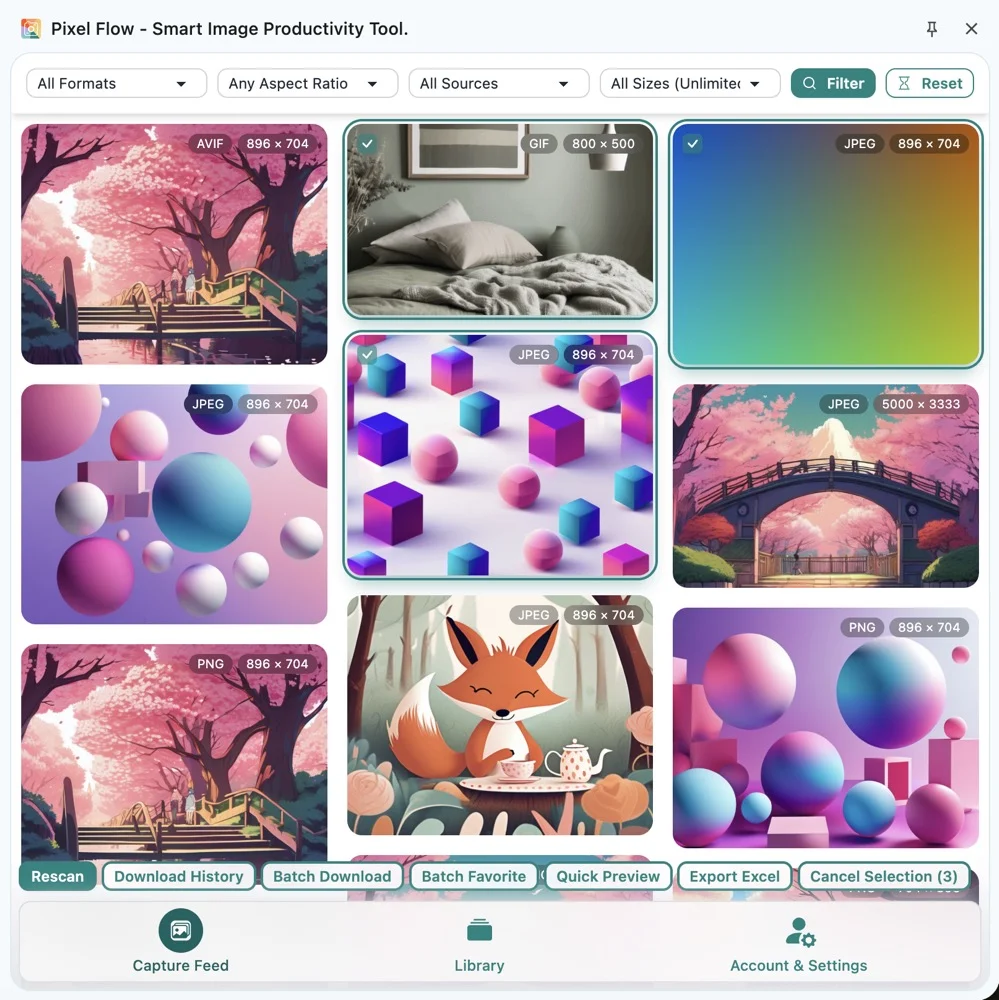
| View the capture feed, use basic filters, and quick preview | Available | Available | Light image discovery, first-time evaluation |
| Favorite images and manage the library | Up to 60 favorited images | Not limited by the Free quota, but still affected by browser local storage, device space, and data size | Designers, operators, content teams |
| Custom tags | Up to 6 tags | Up to 60 tags | Multi-project, multi-client, multi-purpose asset organization |
| Tags on one image | Up to 6 tags per image | Up to 6 tags per image | Preventing overloaded tag structures on a single image |
| Batch download and download history | Up to 6 images per batch | Up to 30 images per batch | Ecommerce, brand work, research organization |
| Export an Excel image inventory | Requires Pro | Available | Project collaboration, asset audits |
| Image Details, source clues, and basic information | Basic information is visible | Better for systematically reviewing sources, parameters, and lifecycle clues | Content review, image library management |
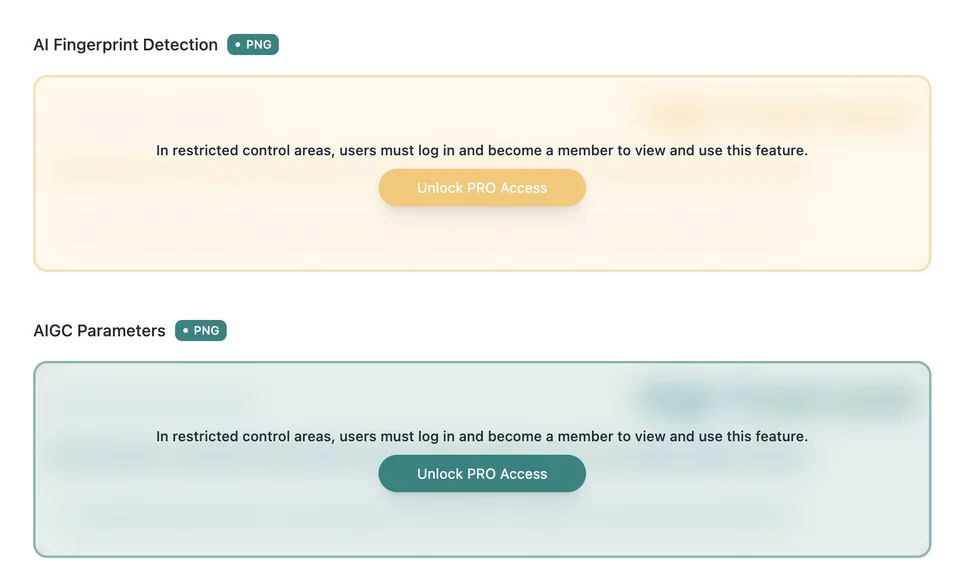
| Advanced analysis such as EXIF, AI fingerprints, and AIGC parameters | Some entry points may be limited | More complete | AI asset review, copyright clue checks |
| Detection thresholds, format conversion, and advanced settings | Some settings may be locked | More complete | High-frequency workflows, fixed delivery standards |
| Pro status, rewards, and subscription records | Account-related prompts are visible | Current benefits, expiration time, and records are visible | Users who need to manage account benefits |
Clear Quota Examples
The limits below are already reflected in the current product interface, import rules, or locked-state prompts. If benefits change with future versions, follow the information shown in Account & Settings, feature lock prompts, and the purchase page.
| Item | Free | Pro | Notes |
|---|---|---|---|
| Favorited images | Up to 60 | Not limited by the Free quota | Pro is still affected by Chrome extension local storage, browser configuration, remaining device space, and image data size |
| Custom tags | Up to 6 | Up to 60 | The tag management page shows a prompt when the limit is reached |
| Tags on one image | Up to 6 | Up to 6 | This shared rule keeps tag structures clear for all users |
| Batch download size | Up to 6 images | Up to 30 images | The capture feed and library both follow this rule |
| Backup import | New items beyond Free favorite or tag limits are skipped | Larger libraries can be imported under Pro limits | Check the current account status before importing |
High-Frequency Abilities Pro Unlocks
Some limits are not only numeric quotas. Certain workflow entry points require Pro. These abilities are better suited to frequent organization, team delivery, or asset audits.
| Ability | Free | Pro |
|---|---|---|
| Library keyword search | Requires Pro | Available |
| Export an Excel image inventory | Requires Pro | Available |
| Google Reverse Image Search | Requires Pro | Available, but still affected by Google services, image size, and original URL availability |
| Deep image metadata | Some information is locked | More complete EXIF, AI fingerprint, AIGC parameter, animation, or format-specific analysis is available |
| Animation and frame tools | Basic information is visible, while some download abilities are limited | Download the original animation file or a full frame package, depending on the image format |
| Multi-variant image download | Requires Pro | Download multiple image variants found on the page |
| Convert WebP/AVIF to PNG/JPEG | Requires Pro | Available |
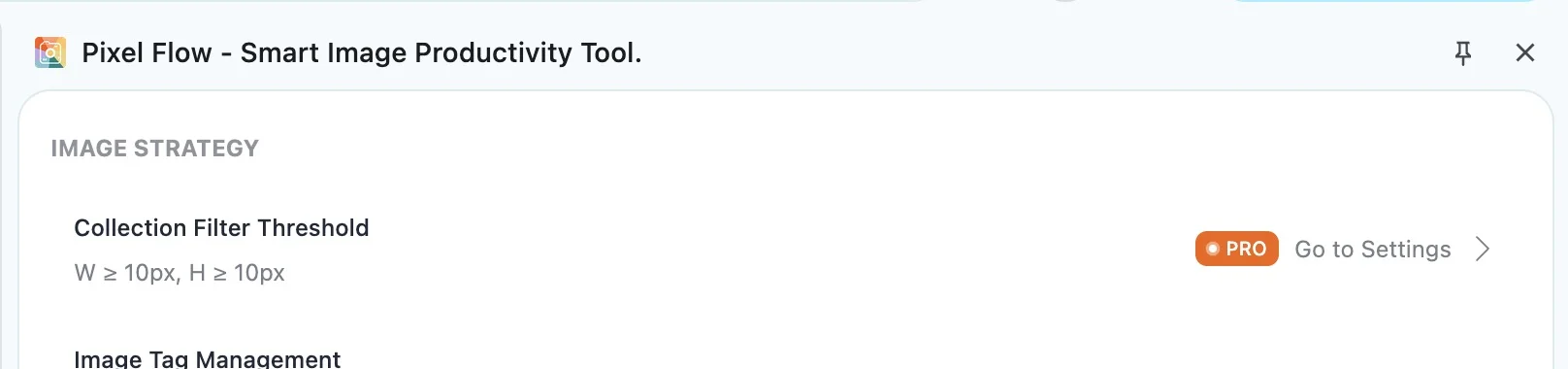
| Image detection threshold settings | Requires Pro | Set minimum width and height to reduce icons, tiny images, and decorative noise |
| Download file naming rules | Original naming is available | Use source, description, date, SEO, or combined naming rules |
| Download package contents | Basic source clues are available | Choose image-only downloads or fuller information packages |
When Free Is Enough
Free is best for confirming whether Pixel Flow fits the way you work. You can install the extension, open the side panel, scan the current page, view images in the capture feed, use basic filters and previews, and save a small number of assets.
Start with Free if your usage looks like this:
- You only occasionally find a few reference images on the web.
- You mainly want to confirm image dimensions, format, URL, or source page.
- Your favorites stay under 60 images, and your custom tags stay under 6.
- Your batch downloads usually stay under 6 images at a time.
- You do not frequently need Excel export, Google Reverse Image Search, or team handoff.
- You are still evaluating whether Pixel Flow fits your browser and workflow.
Free is not meant to cover every high-frequency scenario. It lets you run the basic process on real pages. Once you know which entry points you use most and which limits you hit repeatedly, you can make a steadier upgrade decision.
When Pro Fits Better
Pro is built for higher-frequency, more systematic web image organization. It fits users who treat Pixel Flow as a daily tool rather than something they open once in a while.
Consider Pro if you run into these situations:
- You often process dozens or hundreds of webpage images at once.
- You need batch downloads while keeping records such as source, size, and format.
- You need to export image inventories for colleagues, clients, or reviewers.
- Your favorited images often exceed 60, or your custom tags often exceed 6.
- You need fuller Image Details, EXIF, AI fingerprints, or AIGC parameters.
- Your batch downloads often exceed 6 images, or you need to process up to 30 images in one batch.
- You use favorites, tags, and the library long-term across multiple projects.
- You frequently see locked states, quota prompts, or favorite/tag count limits.
- You need consistent detection thresholds, download formats, file naming, or export standards.
Test a Real Workflow Before Upgrading
Before upgrading, do not rely only on the feature table. Run a complete flow on your own real page. That makes it easier to judge whether Pro will actually save time.
Recommended test flow:
- Open a real webpage where you have permission to access and process the images.
- Open the Pixel Flow side panel and complete one scan.
- Filter images by format, ratio, source type, resolution, and similar conditions.
- Open several Image Details views and review basic information, source clues, and analysis results.
- Favorite a group of candidate images, then return to the library and find them again.
- Try batch downloading or exporting an Excel image inventory.
- Note whether favorites, tags, per-batch downloads, or export steps show locked states, quota prompts, or count limits.
If a limit appears in steps you repeat every day or every week, the value of Pro is usually clearer. If the limit only appears in a feature you rarely use, Free may still be enough.
Where to View Pro Status and Records
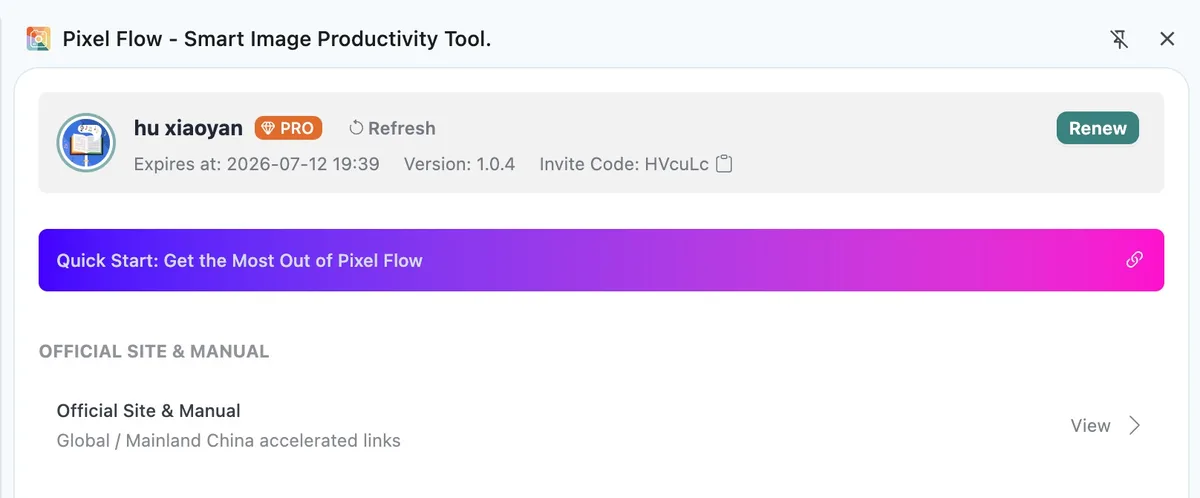
Open Account & Settings in Pixel Flow, then go to View Pro benefits and records to check your current account benefits, expiration time, subscription records, or reward records. Account page information is more current than documentation, so check the product interface first when judging whether a feature is available.
What Happens After Pro Expires
After Pro expires, your account returns to the Free feature range. You can still view existing local data, but new favorites, tag creation, batch downloads, Excel export, Google reverse image search, advanced image details, and advanced settings follow the current Free quotas or locked-feature rules.
Pro expiration does not actively delete the library, tags, or download history already saved locally. However, this data is still mainly stored in your local browser environment. Before uninstalling the extension, clearing browser data, moving computers, or importing another backup, export a backup first.
How to Try Pro for Free
If you want to try Pro before purchasing, some account actions may grant free Pro time. Common ways include first registration, binding a Google account, binding an email address, setting a password, entering an invite code, or inviting new users.
Reward rules may change with campaigns and product policy. Whether time is granted, how much is granted, and when it expires should be confirmed in the Pro records shown on the account page. See which actions can add PRO time for the complete explanation.
What Pro Still Cannot Do
Pro unlocks advanced organization, analysis, download, export, and settings abilities inside Pixel Flow, but it does not change the boundaries of browsers, websites, or copyright.
Pay special attention to these limits:
- Pro cannot bypass website login, access control, cross-origin restrictions, Canvas limitations, or browser security mechanisms.
- Pro cannot guarantee that all lazy-loaded, dynamically rendered, protected, or third-party iframe images can be detected.
- Pro is not a cloud sync service, and it does not mean unlimited local data storage. Favorites, tags, history, and settings are mainly stored in local browser extension data, and are still affected by browser configuration, device space, data size, extension uninstalling, and browser data cleanup.
- Pro does not grant permission to reuse, commercialize, train on, redistribute, or republish images.
- AI fingerprints, AIGC parameters, EXIF, and source clues are supporting evidence, not legal conclusions.
- Google reverse image search still depends on Google and network availability. Pro cannot guarantee that external services are always available.
- For client delivery, public publishing, advertising, training dataset organization, or copyright audits, keep separate records of source pages, license files, and any necessary notes.
Advanced Settings Example
Pro is better for users who need a stable workflow. For example, if you do not want to manually exclude small images, icons, and decorative graphics every time, you can adjust the image detection threshold in settings so the capture feed better matches your actual screening standards.
FAQ
Is the Free plan view-only, with no downloads?
No. Free supports basic capture, viewing, filtering, previewing, lightweight organization, and lightweight downloads. In the current version, Free can batch download up to 6 images at a time. If you often need to download more images in one batch, Pro supports up to 30 images per batch.
Are Pro favorites unlimited?
No. Pro is not limited by the Free 60-favorite quota, but favorites, tags, history, and settings are mainly stored in local browser extension data. They are still affected by Chrome extension local storage capacity, browser configuration, remaining device space, image data size, and data cleanup behavior. Back up important assets regularly.
Why are there two different 6-tag limits?
They are two separate limits: Free users can create up to 6 custom tags, and every user, Free or Pro, can attach up to 6 tags to a single image. Pro expands the total custom tag count to 60, but the per-image tag count remains capped at 6.
Does seeing a locked button mean I must upgrade?
Not necessarily. First check whether that feature is a high-frequency step in your real workflow. If you only encounter it occasionally, Free may still be fine. If it blocks a process you repeat every day or every week, then Pro is worth considering.
Can Pro solve image copyright issues?
No. Pixel Flow can help you record sources, inspect parameters, and organize clues, but it does not grant copyright, commercial use, training, or redistribution rights for any image. Before downloading or using an image, you still need to confirm website terms, license files, or permission from the rights holder.
After upgrading to Pro, can all webpage images be detected?
Not guaranteed. Pixel Flow can only analyze image clues that Chrome can currently access, render, and read. Cross-origin iframes, Canvas, login permissions, anti-scraping restrictions, unloaded content, protected resources, and some dynamic pages may still affect detection.
How should a team evaluate Pro?
Choose a real project page and run the sequence: scan, filter, preview, favorite, batch download, export Excel, and review source clues. If multiple steps in that chain depend on Pro, the upgrade value is usually clear.