
Docs
Pixel Flow user manual and best practices
Find scanning, filtering, image details, library, export, account, and industry workflow guidance by task.
Library and Export: Turn Web Images into Reviewable Project Materials
When you have found a group of valuable images on web pages you are allowed to access and process, the safer next step is to organize those candidates into materials that can be found, filtered, handed off, and traced before deciding which ones need to be downloaded or archived. Pixel Flow’s library, tags, batch download, export inventory, and download history are designed for this stage.
In practice, you can think of this workflow as five parts:
- Use the capture feed to discover and filter images on the current page.
- Favorite the images worth keeping into the library, forming an image candidate pool.
- Add tags that represent project, purpose, review status, or other useful dimensions.
- When you need to hand off or archive materials, batch download image files or export an inventory table.
- After downloading, use download history to review the task, file scope, and source clues.
Pixel Flow helps you keep source clues and operation records, but it does not grant image rights for you. Before downloading, favoriting, exporting, or reusing images, you still need to confirm the source website terms, license documents, or permission from the rights holder.
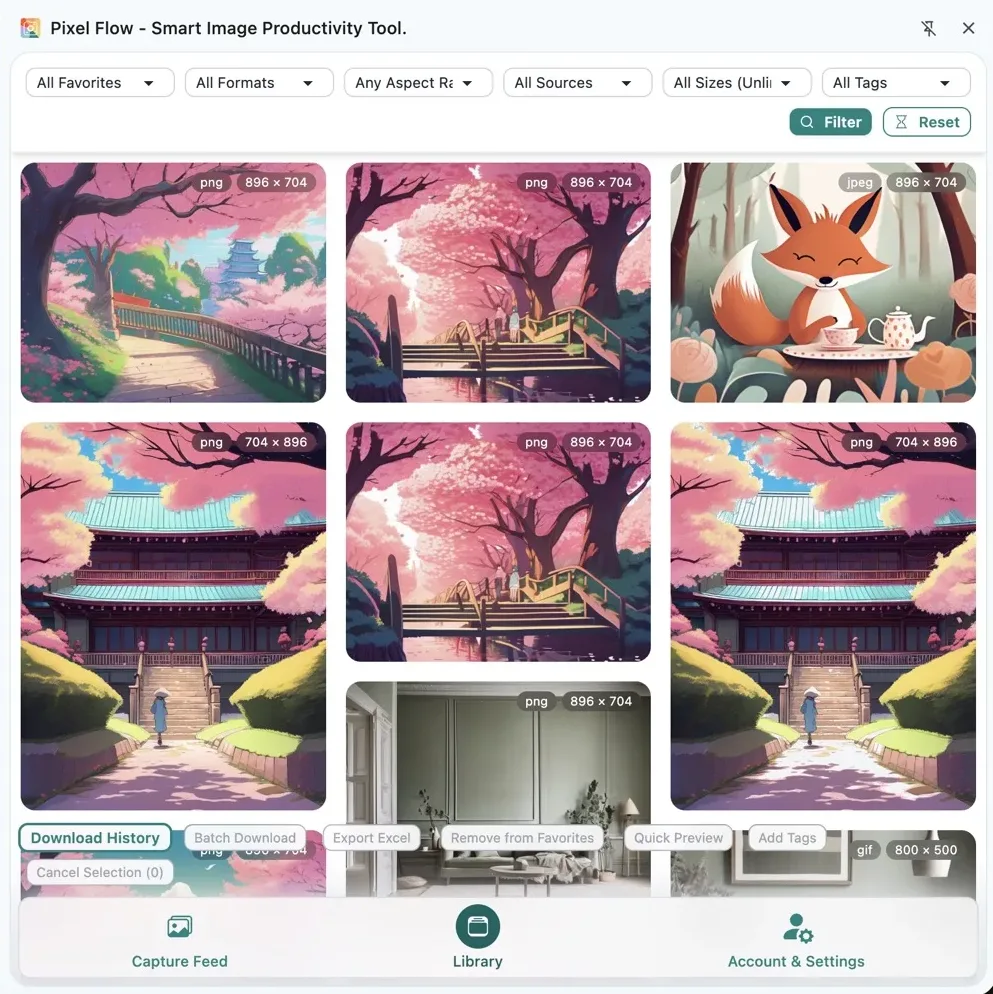
When to Favorite Images into the Library
There is no single universal rule for when an image should enter the library. A more practical way to decide is this: after the capture feed organizes images from the current page, if an image looks suitable, fits the current business scenario, or may need later review, download, or handoff, you can favorite it into the library first.
The library is best for the action of “I want to keep this image and continue working with it.” Common cases include competitor visual references, product image review, article illustration candidates, client project materials, license review lists, training data candidates, and team handoff materials. You do not need to know immediately whether the image will definitely be used. If it is worth reviewing later, favorite it first and build an image candidate pool.
After an image is favorited, its source page, image URL, format, dimensions, favorite time, tags, download records, and related information are kept in the same record. Later, you can continue filtering, previewing, tagging, downloading, exporting, or backing it up without returning to the original web page every time.
If you want to understand the library page entries, buttons, and basic operations first, read Library feature guide.
Favoriting an image and downloading an image are two different actions. Favoriting keeps the image record inside Pixel Flow so you can filter, tag, view details, and export it later. Only after you run a download will the image file appear in your browser downloads folder.
In general, for important projects, keep three types of materials together: image files, source clues, and license or approval materials. Pixel Flow’s library and exported tables can help organize the first two. License materials still need to be confirmed from the source website, stock library, contract, email, or rights holder permission.
Which Filter Dimensions the Library Supports
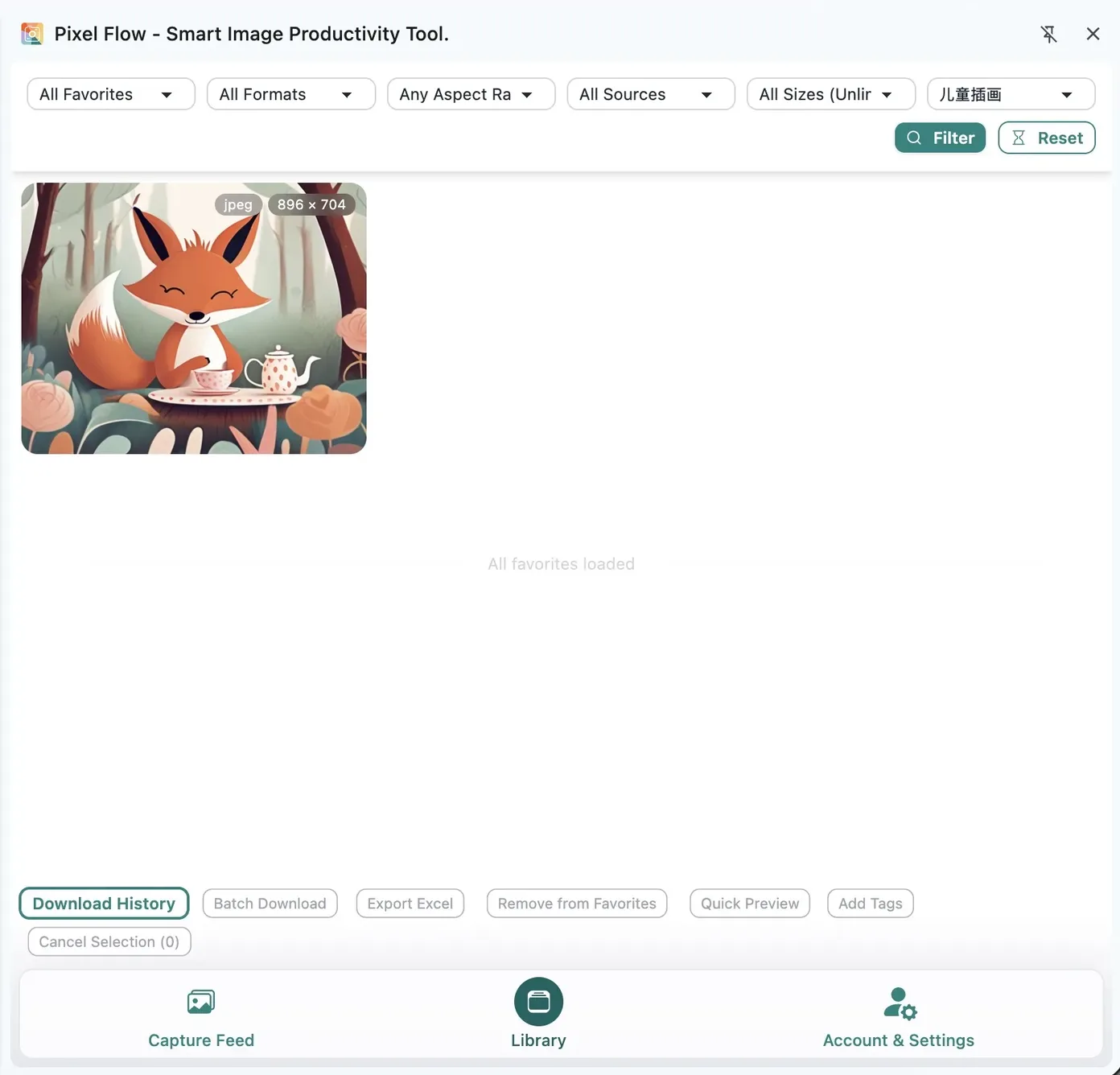
The filter bar at the top of the library is useful for quickly finding target images after your saved collection grows. You can filter by favorite time, such as the last 1 month, 3 months, 6 months, or 1 year. You can also filter by image format, landscape/portrait/square ratio, remote URL or embedded image, and multi-resolution or single-resolution images.
If you have managed image tags in settings and added tags to favorited images, the library also supports tag filtering. For example, you can filter only images tagged Pending license check, or only images tagged Client A website.
Because one image can carry tags from different dimensions and meanings, any image that contains the selected tag will appear in the filtered results.
How to Design Image Tags
Tags are more than names for images. In the library workflow, they work like organization rules: during early collection, you keep candidate images; in the middle, you use tags to clarify project, purpose, and status; later, when filtering, batch downloading, exporting tables, or handing off materials, you do not need to judge every image again from scratch.
Good tag design makes the library feel more like a project list that can keep moving. For example, in the same batch of images, some may be visual references, some may be ready for client review, and some may still need license verification. If these states are tagged early, you can later filter the right tag and immediately find the next images to process.
In practice, keep tags limited to a few stable, reusable dimensions instead of trying to put every detail into tags. These three categories usually work well:
| Tag type | What it records | Examples |
|---|---|---|
| Project | Which project, client, or campaign the image belongs to | Client A website, Spring campaign, Competitor reference |
| Purpose | What the image may be used for | Hero candidate, Product detail page, Social image |
| Status | Whether the image can continue through the workflow | Pending license check, Internal reference OK, Archived |
If multiple people collaborate, agree on a few fixed tag groups first, such as project name, usage scenario, and review status. When everyone uses the same naming logic, exported tables, batch downloads, and review handoffs will not become just “a pile of favorites”; the images have already been sorted once by workflow.
For the actual operations, first maintain available tags in Account & Settings, then return to the library to add tags to one image or multiple images. See Image Tag Management, Edit Image Tags, and Batch Add Tags.
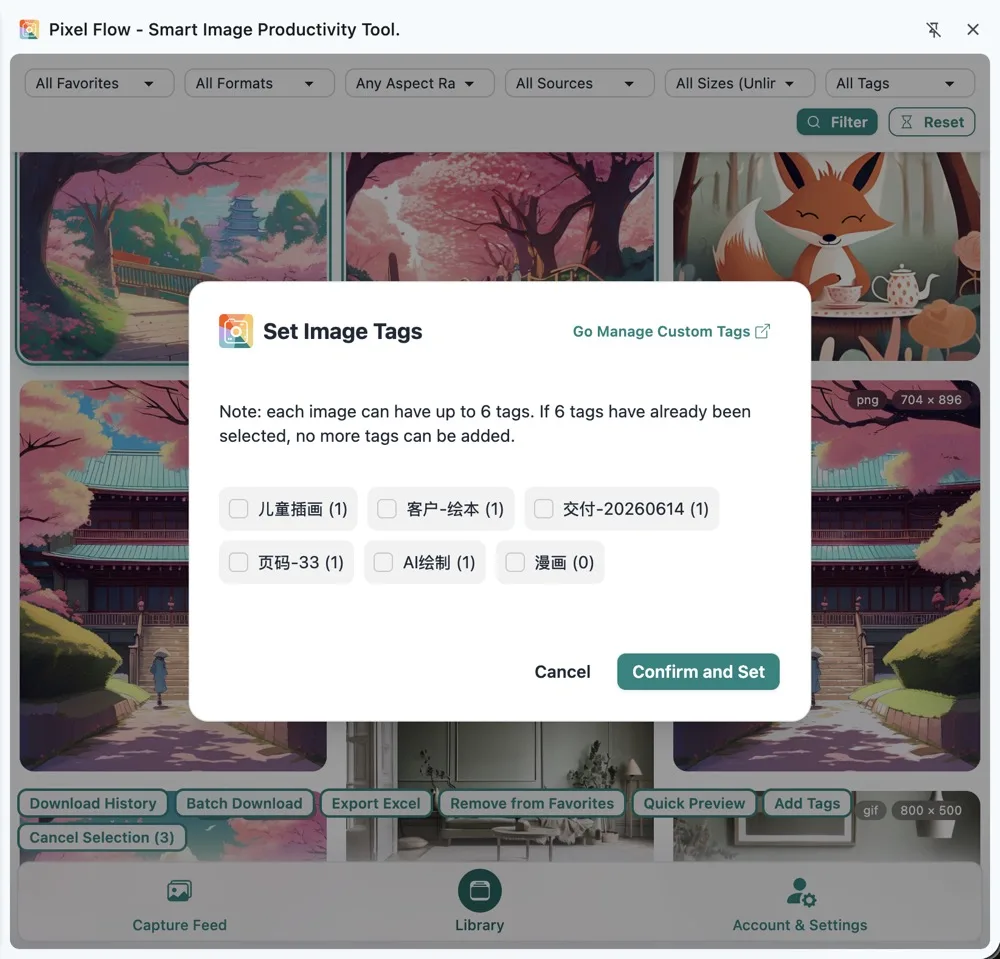
When you delete a tag definition, Pixel Flow removes that tag from related favorite records, but it does not delete the image itself. In other words, tags are organization fields. They are not image files and not proof of rights. Do not put contract text, client approval notes, or complex comments into tags; those belong in project documents, authorization records, or alongside exported tables.
Move from Filtered Results into Batch Download
Before batch downloading from the library, do three checks:
- Use tags, time, format, or source filters to narrow down the images you truly need.
- Open key image details to confirm dimensions, format, source page, and available clues.
- Finally, multi-select images and run batch download or export table operations.
Batch download hands image files to the browser for downloading. The result may be a single image file or a zip package. When you download multiple images at once, or when your settings include source clue tables in the package, a zip package is better for keeping images and records together.
Download settings affect the final files. For example, filename format rules affect downloaded filenames; WebP and AVIF conversion settings affect the output format for some images; Source and Rights Clue Records decides whether the zip package includes source clue tables.
If you want to see where the library download entry, download status, and batch download operations are, read Download from Library.
Final Step: Export an Inventory or Download Image Assets
After library candidates have been organized to a certain point, there are usually two next actions: export a table inventory for colleagues, clients, or reviewers to check first; or download the image assets directly so the files can move into design, publishing, archiving, or delivery.
If your current goal is review and communication, export a table first. Everyone can check source, dimensions, format, tags, download status, and notes around the same inventory without downloading every image file immediately.
Library exports usually try to include these fields: source page, original image URL, site name, page title, image description, image type, width, height, original filename, file size, aspect ratio, custom tags, scan time, favorite time, download count, latest download time, and any recognizable copyright or author clues in the current file.
If your current goal is delivery or archiving, downloading image assets is more appropriate. For projects that need source clues, combine the download with Source and Rights Clue Records so the package includes both image files and reviewable source information.

Treat exported tables and source information inside download packages as review clues, not as proof of authorization. They can help you look back at where an image came from, when it was organized, and which visible fields were available. But for commercial publishing, advertising, ecommerce listing, training data, redistribution, or similar use cases, you still need to separately confirm the source website terms, stock library license, contract, email, or permission from the rights holder.
Review Image Download Tasks from Download History
Download history sits at the closing stage of the workflow: after you have exported an inventory or downloaded image assets from the library, you can return here to check whether the task completed, whether the file scope is correct, and whether the work can still be traced later.
In general, history records include this information: when was this batch downloaded? Was it downloaded from the library, capture feed, or image details? Was it a single image or a zip package? Which child files were included in the zip? Has the same project material already been downloaded before?
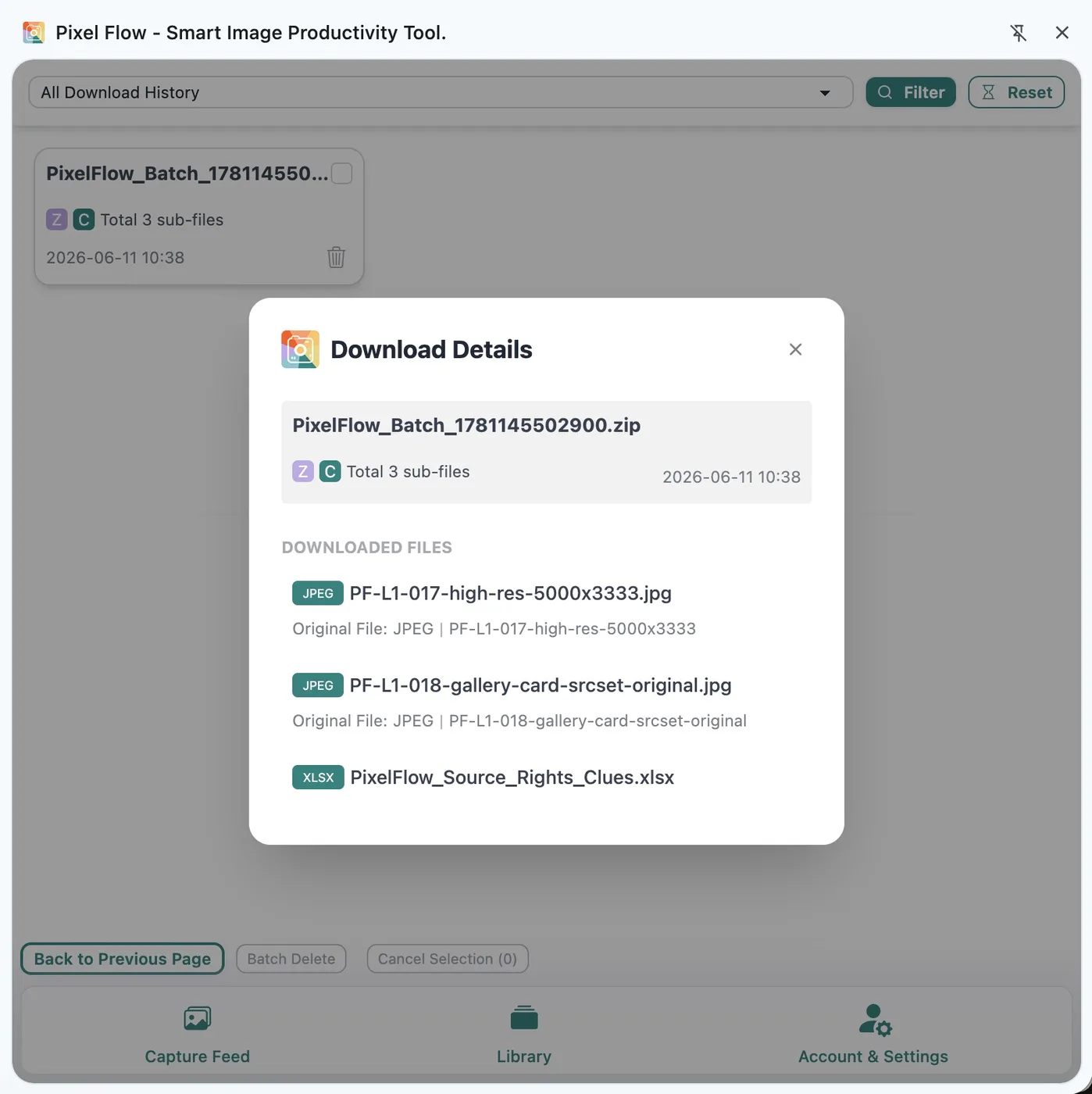
Deleting download history usually does not delete image files from your computer downloads folder. Conversely, if you manually move or delete files on your computer, Pixel Flow history may not know that the files have moved. For formal handoff, check the downloads folder, download history, and exported table together.
Protect the Library You Have Organized with Backups
Backup and restore are not daily steps inside the image organization workflow, but they are critical for protecting the favorites, tag work, download history, and preferences you have already created. Once your library contains valuable image materials, do not wait until changing devices, reinstalling the browser, or uninstalling the extension to think about backup.
Pixel Flow’s library, tags, download history, and some settings are mainly stored in the current browser environment. Do not treat them as a cloud asset library by default. Before changing computers, reinstalling the browser, switching browser profiles, clearing extension data, or uninstalling the extension, export a backup first.
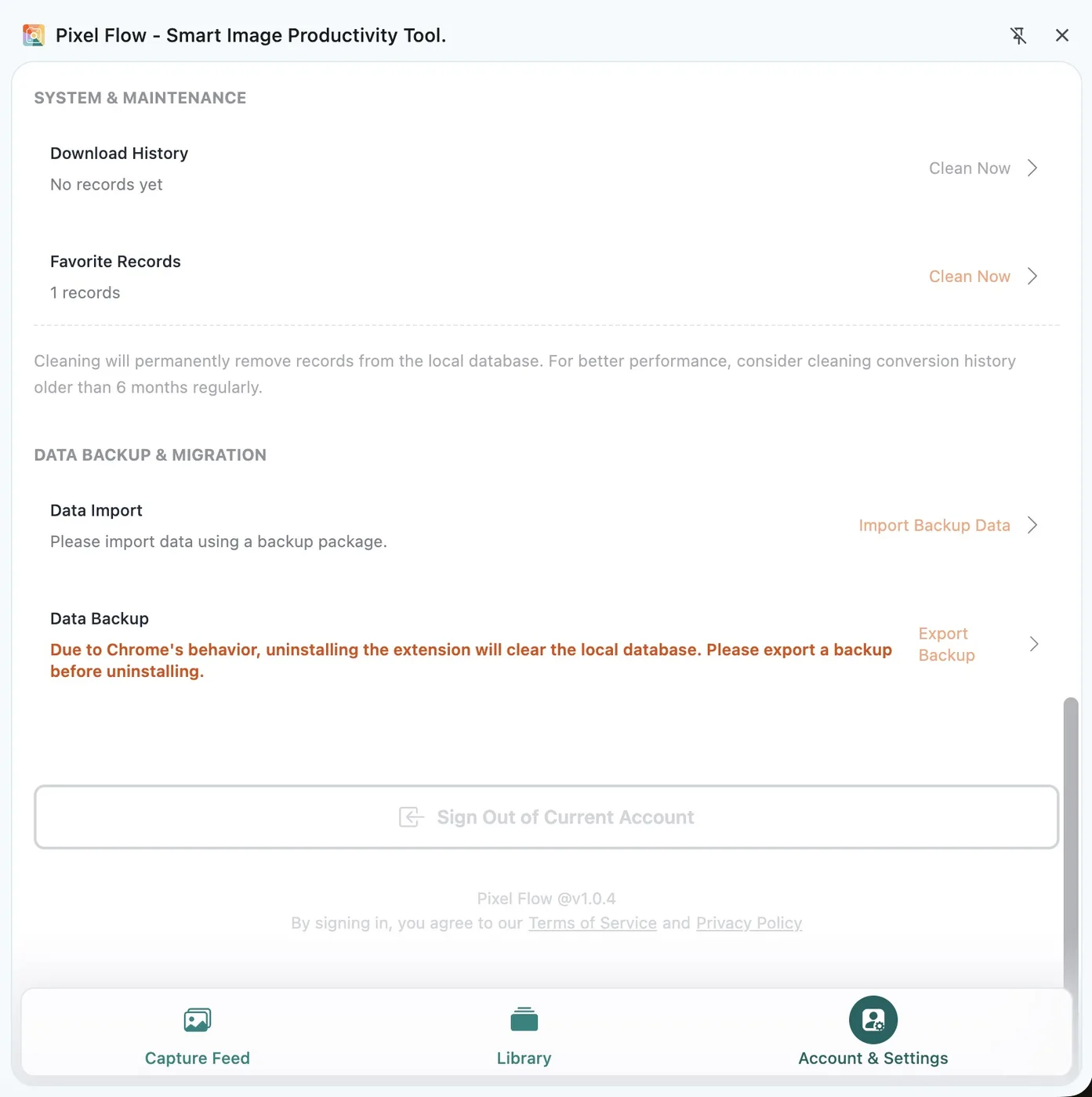
If you need the exact backup export, import, and restore entry points, read Data Backup and Import. If you are about to clean data, uninstall the extension, or perform a high-risk operation, read Data Safety, Backup, and Cleanup first.
A backup package exports important work data from the current environment into a file. It usually contains the favorites manifest, download history, user preferences, custom tags, backup owner information, and local file data related to favorited images. Store backup packages carefully and do not send them to unrelated people. If a backup contains client projects, internal tags, or sensitive source links, confirm the sharing scope first.
Put the Operable Workflow Together Again
The sections above covered the library, filters, image tags, batch download, exported inventories, download history, and backups. In an actual project, you can put the workflow back together in this order:
- In the capture feed, filter out icons, tiny images, duplicates, and unrelated decorative images.
- Favorite candidate images into the library without rushing to download everything.
- Use image tags to mark project, purpose, and review status.
- Open key image details to review format, dimensions, source, and recognizable copyright or author clues.
- Export a table inventory for colleagues, clients, or reviewers to check.
- After confirming scope, batch download images and include source clue tables when needed.
- After downloading, check download history to confirm the download task and file scope.
- At project milestones, or before changing devices or uninstalling the extension, export a backup.
Materials organized this way are easier to hand off: image files handle delivery, exported tables handle review, download history handles traceability, and license materials prove the allowed usage scope.
FAQ
Q: Does favoriting into the library mean the image is downloaded to my computer?
No. Favoriting saves the image record inside Pixel Flow’s library so you can filter, tag, view details, and export it later. Downloading is what saves the image file to your browser downloads folder. You can continue with View Favorites and Download from Library.
Q: Does the library automatically sync to other devices?
Do not assume cloud sync by default. The library, tags, and download history are mainly stored in the current browser environment. Before moving devices, export a backup from the old device and import it on the new one. For more details, read Local Data, Backups, and Uninstall Risk and Data Backup and Import.
Q: How many images can Free users favorite?
Currently, Free users can favorite up to 60 images. PRO users do not have the normal favorite count limit. The actual interface prompt and your account status take priority. See Free vs PRO Feature Comparison for quota details.
Q: How many tags can one image have?
Each image can have up to 6 tags. Free users can create up to 6 custom tags, and PRO users can create up to 60 custom tags. For creation, deletion, and batch tagging rules, see Image Tag Management.
Q: Can exported tables prove that images are licensed?
No. A table is a source clue and review checklist. It helps you record where images came from, when they were organized, and which visible fields were available, but real authorization still depends on source website terms, stock library licenses, contracts, emails, purchase records, or permission from the rights holder. Continue with Source and Rights Clue Records and Responsible Use of Pixel Flow.
Q: Does deleting download history delete image files from my computer?
Usually no. Deleting download history removes the task records inside Pixel Flow. Files in your computer downloads folder need to be managed separately by your operating system. Before cleanup, read Batch Delete Download History and Data Cleanup.
Q: If the original website image becomes unavailable, can I still download the image from the library?
Yes. After an image is favorited into the library, Pixel Flow stores image data that can be used for later downloads. When you download again from the library, it usually uses the locally saved image data instead of relying on the source website image URL again. See Download from Library for the download entry.
However, the fact that a source website becomes unavailable does not affect the downloaded file, and it also does not mean the image is licensed. For important projects, still archive the image file, source clue table, project screenshots, and license materials together.
Q: When should I definitely export a backup?
Before uninstalling Pixel Flow, reinstalling the browser, clearing extension data, switching browser profiles, changing computers, or after finishing an important batch of project materials, export a backup first. Without a backup, local data is usually difficult to fully recover after loss. Before acting, read Data Backup and Import and Data Safety, Backup, and Cleanup.