Docs
Pixel Flow user manual and best practices
Find scanning, filtering, image details, library, export, account, and industry workflow guidance by task.
Google Reverse Image Search
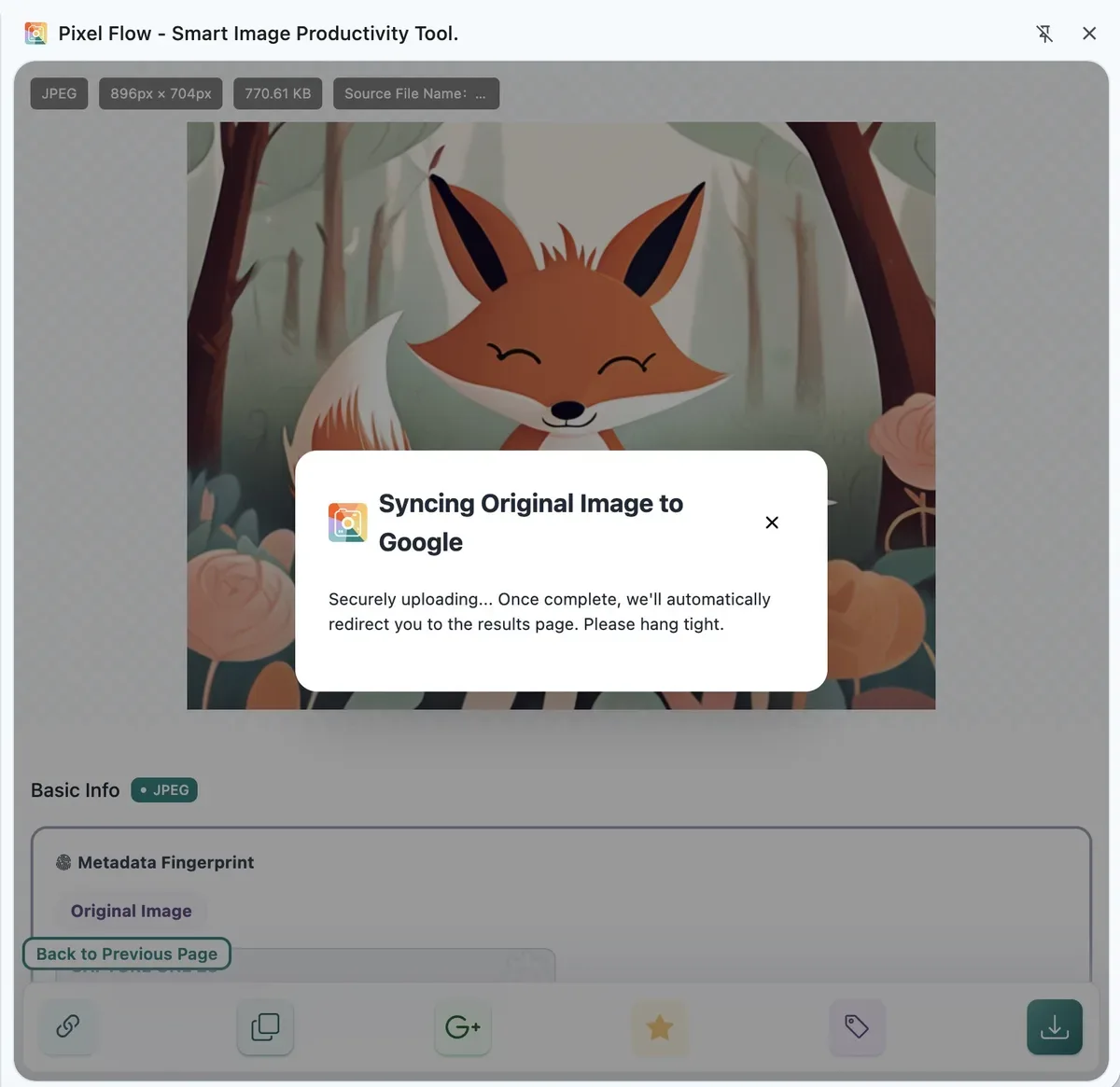
Google Reverse Image Search sends the current image to Google Lens so you can continue looking for visually similar images, possible earlier sources, repeated appearances, or related public pages. It is useful for provenance research, rights review, and competitive asset checks, but the search results are clues, not proof of copyright ownership or reuse permission.
When to Use It
- You want to check whether the image has an earlier public source.
- You want to find similar images, cropped versions, recolored versions, compressed copies, or reposted variants.
- You want to see whether the image may come from a stock site, social media page, news page, product page, or portfolio.
- Before commercial use, client delivery, or dataset work, you want one more source-review clue.
Where to Start
You can trigger Google Reverse Image Search from three places. The entry usually appears as a Google icon:
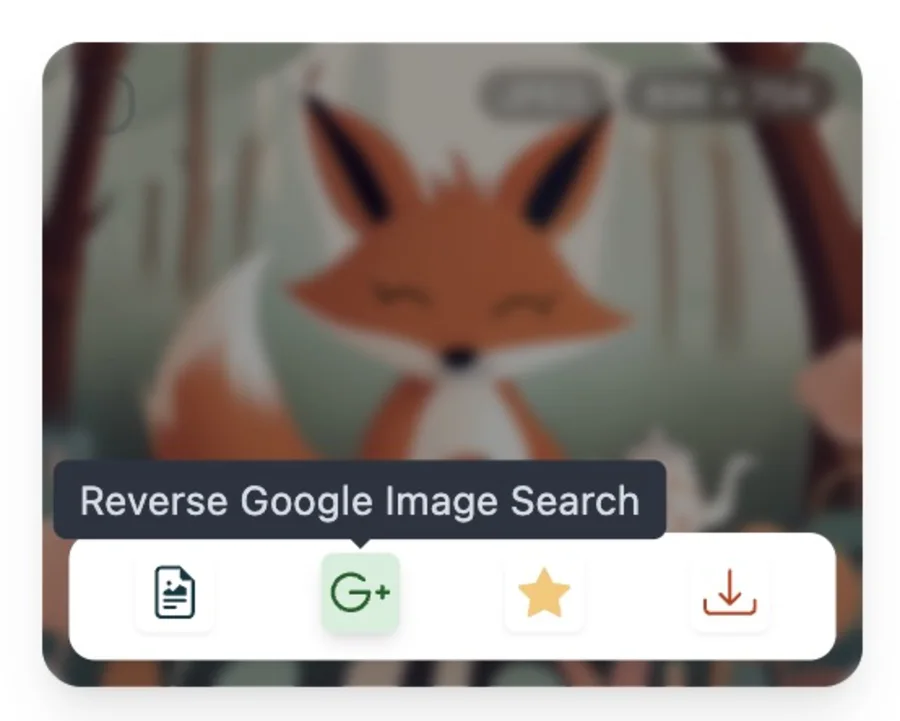
- Image detail view: open a single image detail page, then click the Google icon in the bottom action bar.
- Preview page: when previewing or switching between multiple images, click the Google icon for the current image.
- Capture feed / Library image card: hover over a captured or saved image card, then click the Google icon in the card toolbar.
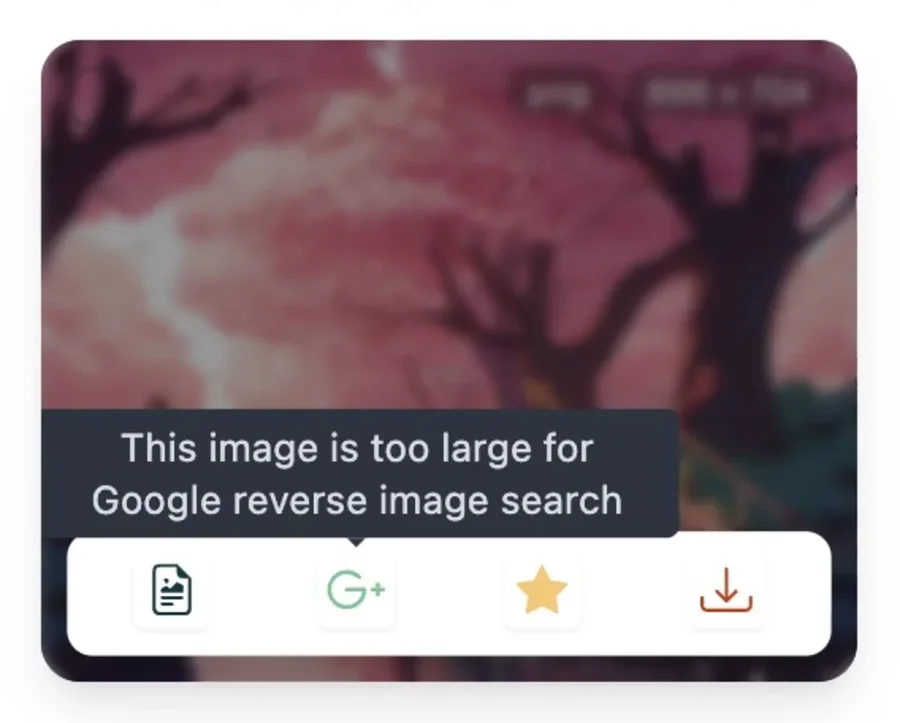
If the button is disabled, the current image, account state, or network environment may not meet the search requirements. Common reasons include:
- The image is larger than 10 MB and there is no original public URL to fall back to.
- Google services are not reachable, or your network cannot open Google Lens.
- Your current account state, PRO access, or quota does not allow this action.
- The image source is local, authenticated, expired, signed for one-time access, or hosted on a restricted CDN that Google Lens cannot read directly.
- The local cache does not contain original image data that can be used for search.
What Happens After You Click
- Pixel Flow checks whether Google services are reachable.
- If the current image has a directly accessible public URL, Pixel Flow opens Google Lens with the original image URL first.
- If the original URL is not suitable for direct search, Pixel Flow creates a temporary image link that Google Lens can read.
- A new tab opens the Google Lens results page, where you can review similar images, related pages, and possible sources.
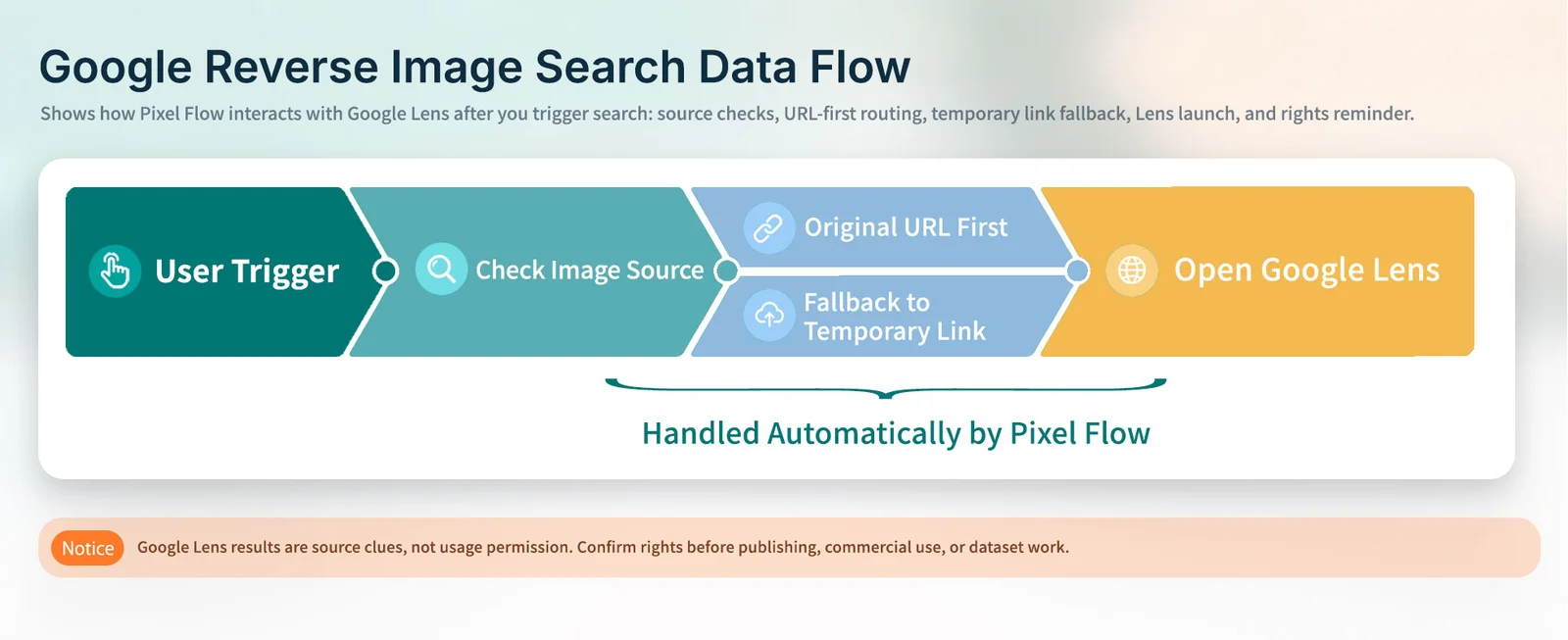
Data Interaction With Google Lens
| Current Image State | How Pixel Flow Handles It | What to Know |
|---|---|---|
The original URL is a reachable http or https URL | Creates a Google Lens search link directly | No extra image copy is uploaded to temporary storage |
| The original URL is not suitable for direct search, or the image comes from Library local cache | Temporarily uploads an image copy and creates a short-lived access link | The image briefly passes through a third-party object storage service |
| The image is larger than 10 MB and has no usable original URL | Does not perform temporary upload | The UI shows that the image is too large or search is unavailable |
| SVG, AVIF, GIF, and similar formats | Converts to JPEG when needed for temporary search | Google Lens can read a static image more reliably |
Temporary Upload and Cleanup
Google Reverse Image Search is an external action that you actively trigger. Pixel Flow first tries to open Google Lens with the original public image URL. When the original URL is not suitable for direct search, Pixel Flow temporarily uploads an image copy to a third-party object storage service and creates a short-lived Google Lens access link.
The temporary copy is used only for this reverse image search. It is not added to your Library or long-term analysis data. After the access link expires, it can no longer be opened. The image copy is briefly retained in the temporary storage service and is automatically deleted 1 day after upload. Before using this action, make sure you are comfortable sending the relevant image clues to Google Lens and the temporary storage service.
Availability and Limits
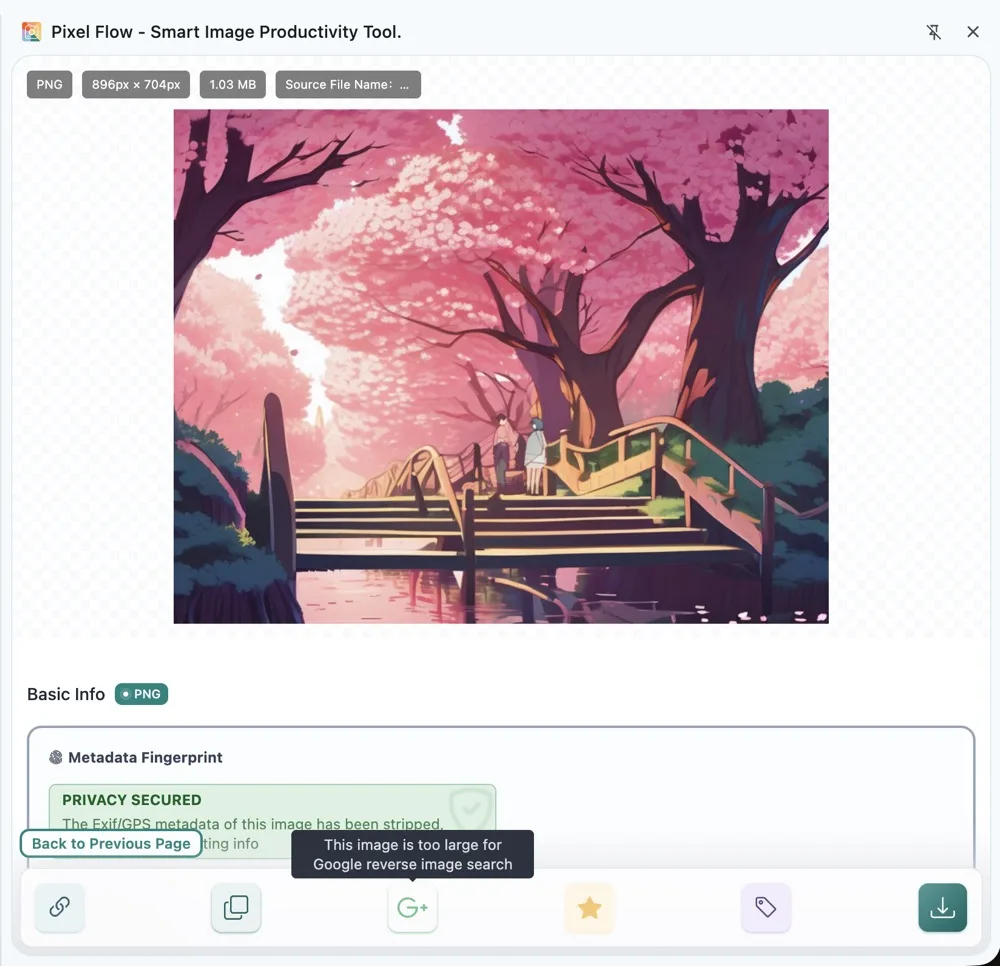
- Google services must be reachable.
- Google Reverse Image Search is an advanced action and may depend on account state, PRO access, or quota.
- Local images, authenticated images, expired resources, restricted CDNs, or oversized images may not be directly searchable.
- If temporary upload fails but the original URL is still usable, Pixel Flow falls back to URL search.
How to Read the Results
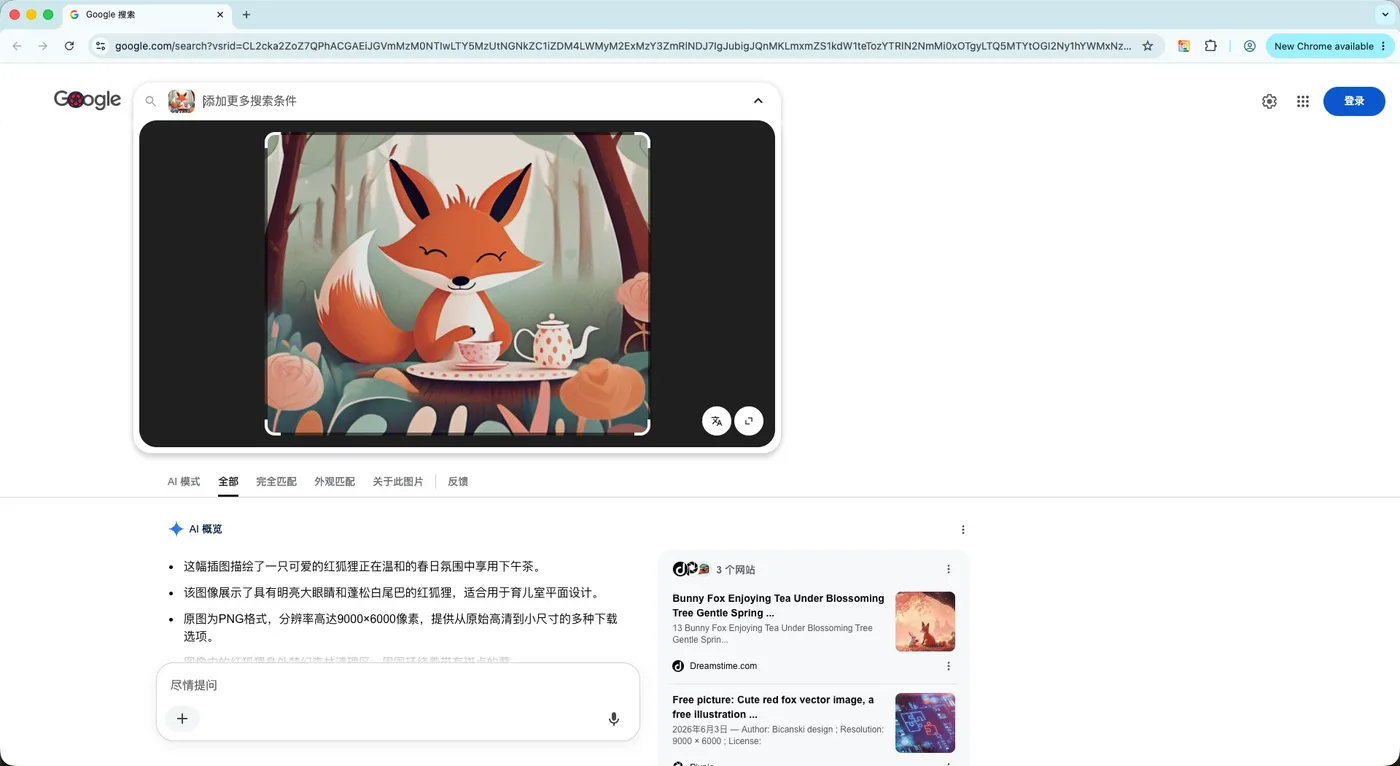
Google Lens is Google’s visual search service. Instead of typing keywords, you use an image as the query. Google Lens analyzes visual signals such as objects, text, products, places, composition, and local image features, then returns results that Google considers relevant. Depending on region and context, the results may include similar images, pages that contain the same or similar image, object-related search results, and AI overviews.
The content you see in Google Lens results usually comes from public web pages and images that Google can access, crawl, index, or understand, along with matching signals from Google Search. It is not Pixel Flow’s own database, and it is not a copyright registry. In practice, Google Lens is a way to take this image into the public web and continue looking for clues. It cannot directly prove the original author, source, or usage rights.
The value of this feature is that it lets you compare local evidence with external search clues.
Pixel Flow organizes the current image into reviewable evidence: source URL, page title, format, dimensions, technical parameters, favorite state, and download records. That helps you understand where the image was found, in what page context, and in what file form. Google Lens then takes the image into a broader public search environment to match identical or visually similar content.
So you are not looking at an isolated image, and you are not relying only on one Google results page. You are comparing Pixel Flow’s locally preserved source clues with external search results. This makes it easier to discover whether the image has other public appearances, may come from a stock site or social media page, has been cropped or recolored, has an earlier page, or needs further review by legal, design, or operations teams.
Review results in this order:
- First check whether an exact same image appears. If it does, record the domain, page title, publication time, author information, and page purpose.
- Then check whether similar images are only similar by topic, composition, product, or style. Visual similarity does not mean it is the same image or the same licensing source.
- If multiple pages use the same image, prioritize the earliest, most complete, and clearest page, but do not assume that “earlier appearance” proves original authorship.
- If results point to a stock site, photography community, social platform, news page, or ecommerce page, continue checking license terms, purchase options, author attribution, repost notes, and platform rules.
- Return to Pixel Flow image details and compare Google Lens results with the source URL, EXIF, AIGC parameters, AI fingerprint, download history, and project notes.
Note: Before publishing, client delivery, advertising, product pages, or dataset work, confirm rights separately with the source page, license terms, author information, contract files, and your team’s review process. Google Lens results are a starting point for further investigation, not a final conclusion.
FAQ
Why are some images unavailable for Google Reverse Image Search?
Common reasons include unreachable Google services, image size exceeding the temporary upload limit, no usable original URL, login-required resources, expired sources, or account state that does not meet the feature requirements.
Why are Library images more likely to use temporary upload?
Images in the Library may have been saved for some time. Their original image URLs may have expired, require login, been removed by the CDN, used one-time signatures, or stopped allowing Google Lens to read them directly. Pixel Flow may still have the image data locally, but Google Lens needs an image URL it can access to continue searching. In these cases, Pixel Flow creates a temporary externally accessible link for Google Lens, so Library images are more likely to use temporary object storage.
Can Google Reverse Image Search prove copyright ownership?
No. It can help you find similar images, public appearances, and possible sources. Copyright ownership, license scope, and commercial-use permission still require source pages, license files, contracts, platform rules, or manual review.
Are temporarily uploaded images stored long term?
No. A temporary uploaded copy is used only for this Google Reverse Image Search action. It is not added to your Library or long-term analysis data. The Google Lens access link is short-lived; the image copy is briefly retained in the temporary storage service and automatically deleted 1 day after upload.