
Docs
Pixel Flow user manual and best practices
Find scanning, filtering, image details, library, export, account, and industry workflow guidance by task.
Invite Code and Referral Rewards
Invite codes help new users register Pixel Flow through a referral. When a new user enters a valid invite code during first-time registration, both the invited user and the referrer receive extra PRO time.
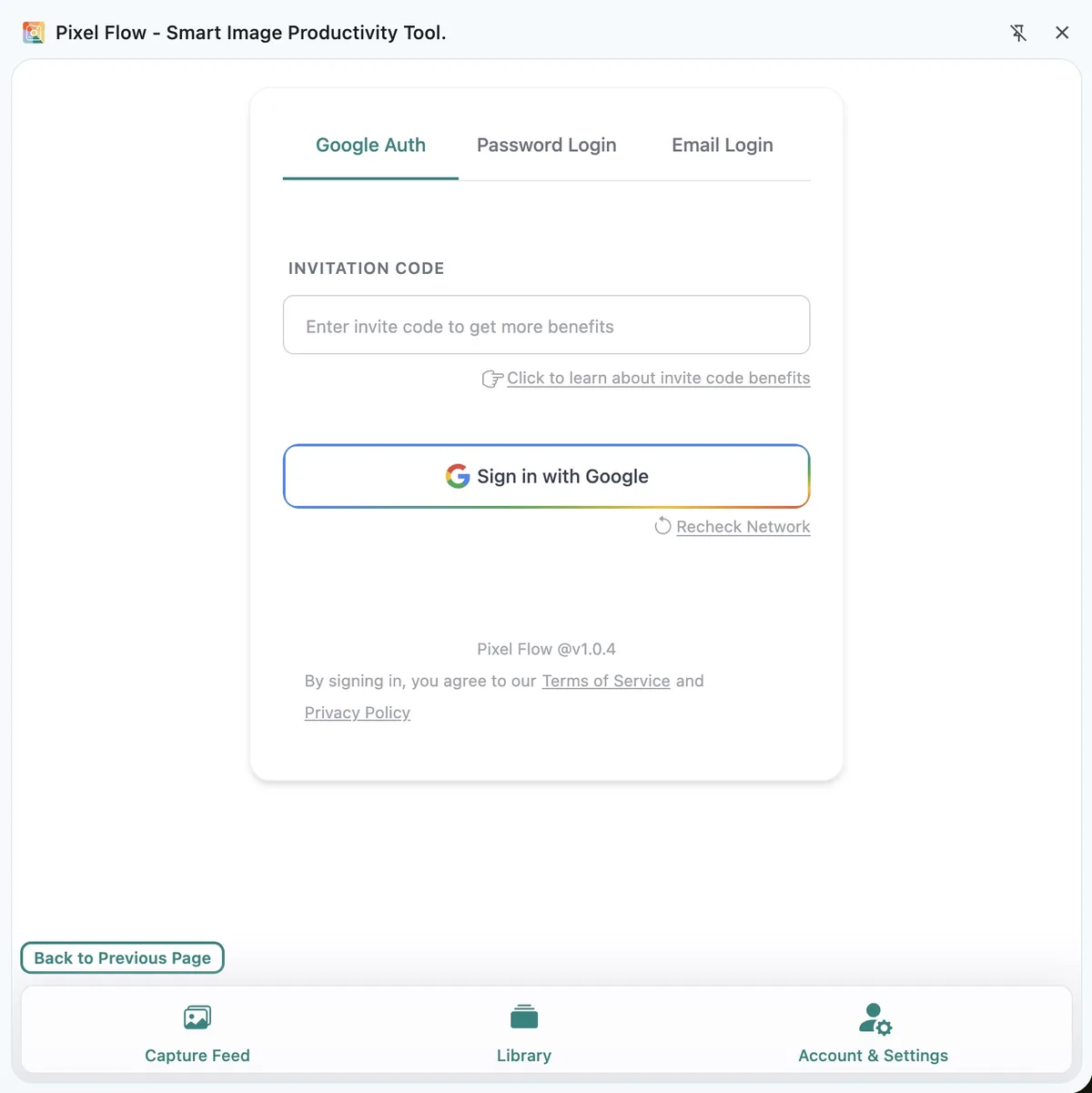
When to Enter an Invite Code
Invite codes are intended for first-time registration. You can enter one during Google sign-in or email verification sign-in, and Pixel Flow checks the code when it creates the new account.
If the account has already been registered, entering an invite code during a later login usually will not retroactively grant referral rewards. Password login is also not a registration flow, so it does not process invite code rewards.
Where to Find Your Invite Code
After signing in to Pixel Flow, open Account & Settings. Your invite code appears in the account information area at the top of the page. Use the copy icon next to the code to share it with a friend.
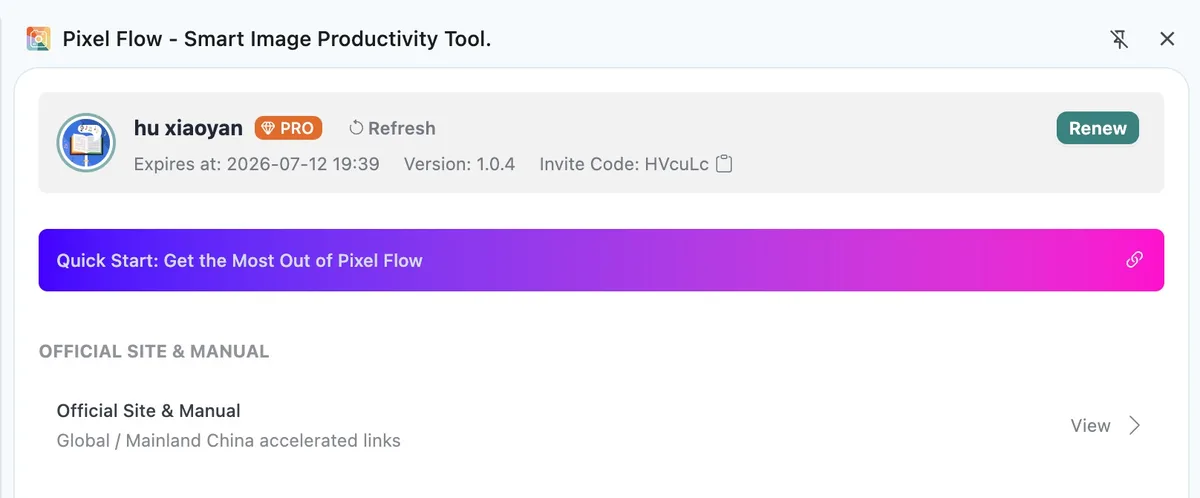
Reward Rules
Current invite code rewards apply to new user registration:
| Scenario | Invited User Reward | Referrer Reward |
|---|---|---|
| A new user registers with a valid invite code | Extra 1 day of PRO | 3 days of PRO |
New users may also receive system-granted PRO time for first-time registration. The invite code reward is added on top of that registration grant and does not need to be redeemed manually. For the full list of registration, binding, password setup, login activity, purchase, and redemption records, see which actions can add PRO time.
How to Check Whether the Reward Arrived
Open Account & Settings, then open View PRO Status and Records. Referral rewards appear as system grant records and include the invite-related reason.

If the record does not appear immediately after registration or referral, go back to Account & Settings and refresh the account state, or reopen the side panel and check again.
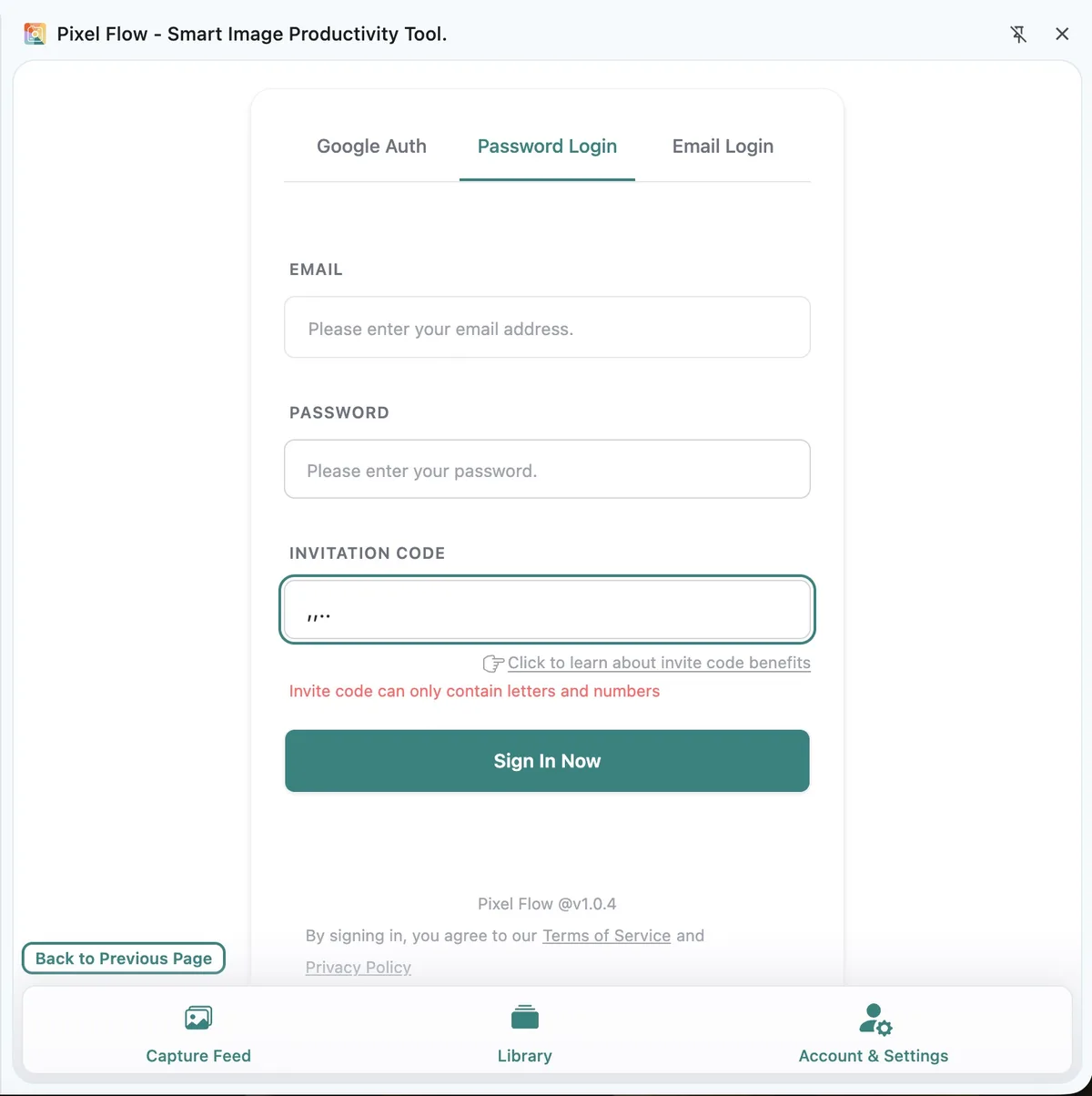
Invite Code Format
An invite code can contain up to 6 characters and may only use letters and numbers. If you enter spaces, punctuation, or other special characters, the login page shows a format error.
Invite Code vs. Redemption Code
An invite code is used during new user registration to create a referral relationship and grant registration referral rewards. It appears in your account information and can be shared with people who have not registered Pixel Flow yet.
A redemption code is a different type of code used to redeem PRO time, usually from an official social campaign, partner activity, purchase, gift, or support scenario. Redemption codes are not the same as invite codes and are not entered on the registration page.
FAQ
I already registered. Can I add an invite code later?
Usually no. Invite code rewards are tied to the first-time registration flow. After the account has been created, later logins do not reprocess registration referral rewards.
I entered an invite code but do not see the reward. What should I do?
First, check that the code was typed correctly, then refresh Account & Settings. If the reward still does not appear, contact support with your sign-in email, the approximate time you entered the invite code, and a screenshot.
Can the referrer see my full email address?
No. Invite-related account information in PRO records is masked and is only used to help identify the reward source.
Does a referral reward change image copyright or reuse rights?
No. Invite codes only affect account PRO time. They do not change image copyright, download permission, commercial rights, or website terms.